Access that keeps up as your team grows: SCIM and Dedicated IP for Teams

Picture this: An employee leaves the company. Their email is shut down, their laptop is returned, and their Slack account disappears. Then someone runs an audit and finds one account still active on a tool nobody thought to check.
Nothing happened, but it’s an easy gap to miss as a team grows. And keeping track of who has access is only part of the challenge. Teams also need a reliable way to connect to company resources that are restricted to approved IP addresses.
ExpressVPN for Teams helps with both. SCIM provisioning keeps VPN access in sync with your employee directory, while Dedicated IP for Teams gives your team consistent IP addresses that can be allowlisted for protected company resources.
Here’s how they work.
SCIM: One central directory
SCIM stands for System for Cross-domain Identity Management. It's an open standard that allows companies to share user information between an identity provider (IdP) and the services their employees use.
Think of an IdP as the company's central employee directory. Rather than maintaining separate user lists for every service, IT teams can manage employee information through an IdP such as Okta, Microsoft Entra ID, or Google Workspace.
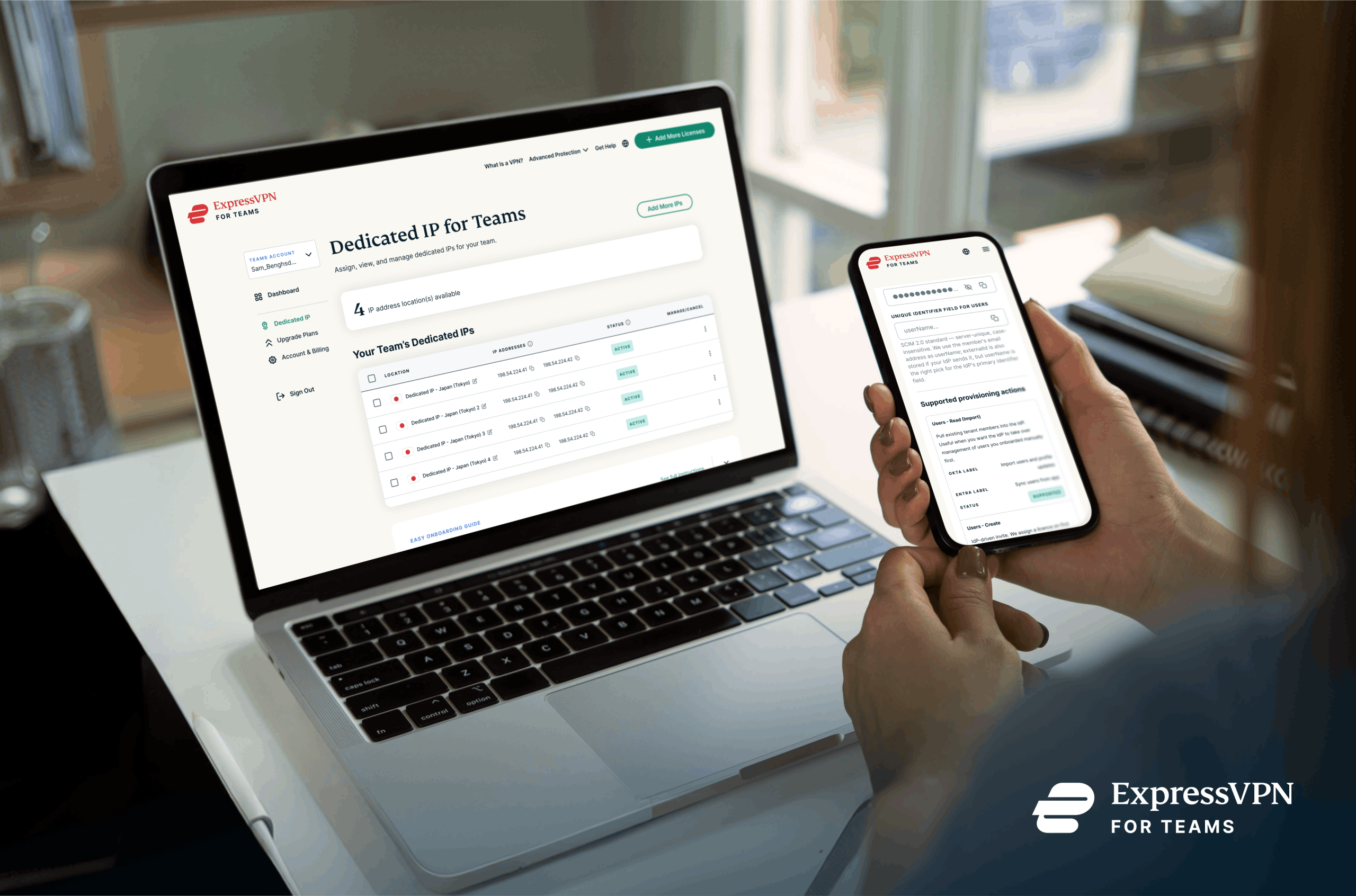
Once SCIM is configured, admins can see users from their company's connected directory in the ExpressVPN admin portal and choose who should receive an ExpressVPN license. There's no need to manually recreate the employee directory in ExpressVPN.
Granting access is then a short job: find the person, assign a license. If you have spare licenses, an admin assigns one directly. If you don't, you can buy more and complete the assignment in the same session. The employee receives a welcome email so they can get started.
For IT teams, that means one less user list to maintain. And for smaller teams without dedicated IT staff, it’s one less administrative task to keep track of.
SCIM also makes offboarding simpler
Granting access is only part of managing company accounts. You also need to remove it when they leave.
Without a centralized system, offboarding can mean going through every service one by one and disabling each account manually. Miss one, and a former employee could retain access longer than intended.
SCIM closes that gap. When an employee is deactivated through the company's connected identity provider, their ExpressVPN for Teams access will be deprovisioned automatically. Your directory remains the system of record, and changes are automatically reflected in ExpressVPN for Teams.
Dedicated IP: An allowlist that holds still
SCIM connects ExpressVPN for Teams with your company’s identity management platform, helping keep user information in sync. But companies also need ways to protect internal resources.
For example, a company might only allow access to an internal dashboard, database, or development environment from an approved IP address. That’s simple when everyone works from the same office, but harder when employees work remotely.
Every home, hotel, or coworking space can have a different IP address—and those addresses can change. That makes maintaining an accurate allowlist difficult, especially as a team grows.
Dedicated IP for Teams gives your organization fixed IP addresses that only your team can use. Once those addresses are allowlisted, employees can connect through the team’s Dedicated IP whenever they need to access a protected resource. The resource sees the same approved address every time, whether they’re working from home in Lisbon or a hotel in Chicago.
What SCIM and Dedicated IP look like together
Say your company hires a new employee who works remotely.
Their information is added to your company's identity provider. Because that directory is connected to ExpressVPN through SCIM, the employee appears in the company's user list in the ExpressVPN for Teams admin portal. An admin can then assign them a license.
The employee also needs access to an internal tool that's restricted with an IP allowlist. Rather than adding their home IP address, IT can add the company's Dedicated IP to the allowlist. The employee connects through that address whenever they need the tool.
Six months later, the employee leaves. Their account is deactivated in the company's identity provider, and their ExpressVPN for Teams access is automatically deprovisioned.
There are still decisions for IT to make—SCIM doesn't decide who should receive a license, for example—but there's less information to maintain across different systems.
Making access easier to manage as your company grows
There's rarely one tool that handles every part of access management.
Sometimes the question is whether someone should have an account at all. Other times, it's whether their connection should be allowed to reach a particular company resource.
SCIM and Dedicated IP for Teams address those two problems in different ways.
SCIM connects ExpressVPN more closely with the identity system your company already uses, making it easier to manage users and automatically remove access when someone leaves. Dedicated IP for Teams gives your team a consistent IP address that can be allowlisted for internal tools and other protected resources.
For a small team, those conveniences might save a few steps. As the company grows—and people join, leave, and work from more places—those steps can add up quickly.
Read more: Why smart teams choose VPNs