Random password generator: Create strong passwords instantly
Get a password in seconds and see how long it might take for hackers to crack it
- Create a strong, random password right in your browser
- Pick password length and character types for your accounts
- Generated entirely on your device; ExpressVPN never stores passwords
30-DAY MONEY-BACK GUARANTEE FOR FIRST-TIME USERS








Random Password Generator
Get a secure and random password. All passwords are securely generated on your device only and are never sent across the internet.
Generate a strong random password instantly
Create a password locally and privately, then copy and use it right away
Customize your password length and character types
Weak passwords—10 characters or less, with predictable character patterns—may be easier to remember, but attackers can often crack them in minutes. This tool removes that risk. You can set the password length with a slider (try the password generator at 17 characters as a baseline), toggle character types, then copy and use it. You get a strong password with your exact specifications. No more wondering “is this secure enough?”
Why use a password generator?
Human brains don’t do randomness well. People use birthdays, pet names, old addresses, or even keyboard patterns that attackers can exploit. A strong random password generator removes this predictability. It creates credentials with no patterns attackers can exploit; the kind that would take an algorithm thousands of years (and millions of dollars of advanced computing power) to break.
What makes a password strong?
Creating strong passwords is hard for humans; a password generator takes seconds
-
Length and complexity as the first line of defense
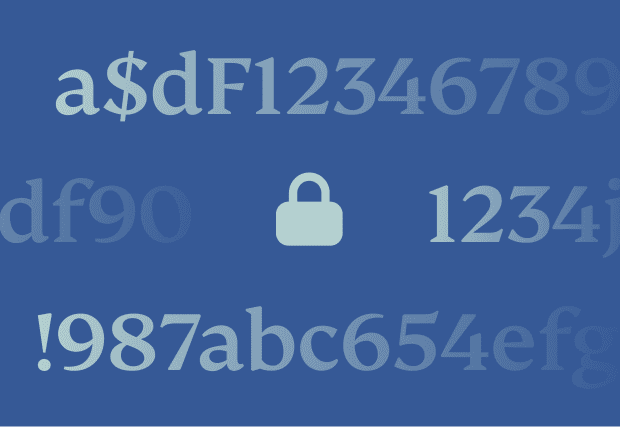
You may create something like “a$dF1234” and think it’s strong, but attackers train their tools to recognize common patterns like number substitutions. An 8-character password can take a few hours to crack. A 12-character password can take centuries. Add more characters first, then layer in complexity.
-
Uniqueness to stop credential stuffing
If one site gets breached, attackers will test that password across every account you own. Use a unique password for each account, and if one account is compromised, nothing else becomes threatened.
-
Randomness to defeat prediction
True randomness vastly reduces predictability. Password crackers learn from millions of real passwords, training their tools to predict common words and substitutions. Random passwords remove those patterns, turning guessing into a process that takes millennia instead of minutes.
Is it safe to use ExpressVPN password generator?
Create passwords locally and securely in your browser

Our secure password generator works locally on your device‘s browser, so you keep control over your privacy. That makes it a safe, simple way to create a strong, truly random password when you sign up for a new account, reset a login, or replace an old password you’ve reused one too many times.
The password generator runs entirely client-side and makes no network requests when generating passwords. Once the page is fully loaded, it continues working even after disconnecting from the internet. It never sends your password data to ExpressVPN’s servers. If you want the bigger picture on how we approach privacy, see our third-party-audited privacy policy toward logs.
How ExpressVPN handles password privacy
You get safe password creation, secure storage, and added protection
Using password managers to store your passwords
A good password only helps if you don’t have to remember it or reuse it later. A password manager is an all-in-one, zero-memorization solution. You can save logins once, then autofill them everywhere with secure cross-device syncing.
With ExpressKeys, our password manager (free with Pro and Advanced subscriptions) your stored passwords use zero-knowledge encryption, which means only you—and no one else, not even us—can see them.
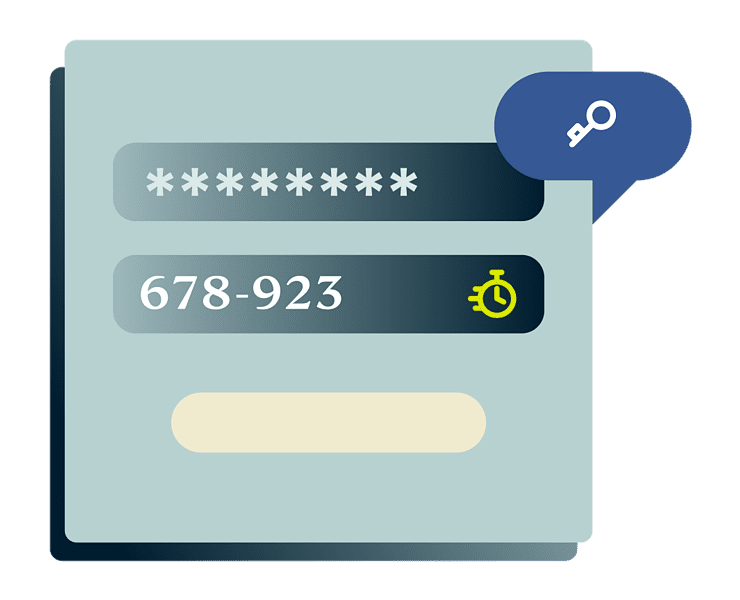
Enabling two-factor authentication
Even if someone has your password, two-factor authentication (2FA) will stop the login. It adds a second verification, usually a time-based code, so a stolen password alone isn’t enough to compromise your account.
ExpressKeys includes a built-in TOTP authenticator so you can keep both your password and 2FA codes in a single place. Our Threat Manager provides additional protection by blocking traffic to known malicious sites and trackers before they can steal credentials.
Creating passwords with Diceware
Security comes from true randomness but you still want something that you can remember. Even ExpressKeys can’t help if you forget the master password and get locked out.
Diceware is the solution: It works by rolling dice to pick random words from a word list, then stringing those words together into something easy to recall. An example would be “microphone hexagonal rainy bagel sandalwood green.” Random enough to resist attacks, and memorable enough to recall.
What people are saying about ExpressVPN
See why people trust ExpressVPN with their online privacy
-
Absolutely fantastic. It was the perfect solution for connectivity issues in a game I've been playing recently.
J B


-
ExpressVPN is the perfect all around VPN service for your network security needs.
Dirt_Reynolds


-
ExpressVPN is the fastest VPN I've found. It shows you the fastest server you can connect to, and a list of alternate servers.
Christopher Gilmer
-
#1 Best VPN 2026 & Best Gaming VPN
ExpressVPN is the best Gaming VPN right now, thanks to its impressive speeds, excellent privacy protections and expansive global network of servers.

-
Editor’s Choice Award 2026
ExpressVPN’s expansive network and dedication to staying on the forefront of encryption tech earn it an award.

-
#1 Best VPN for the U.S. 2026
ExpressVPN is the best VPN for the U.S. right now. It has VPN servers in every American state, excellent security, and a simple user interface.

-
 Rated 4.4 out of 5
 -
 Rated 4.7 out of 5






Password generator FAQs
We answer all of your questions about password generators
How do random password generators work?
A random password generator uses cryptographic randomness to pick characters based on the length and options you choose. ExpressVPN’s password generator runs locally in your browser, so you can generate, copy, and use a password without sending it anywhere.
What’s the best password length?
Most accounts do well with 12+ characters. ExpressVPN recommends starting with a 12-character password and going longer for email, banking, and password managers. If a site allows it, add length before using “clever” symbols.
Can a strong password be hacked?
A strong, unique password can still lose to phishing, malware, or account-recovery tricks. ExpressVPN’s password generator helps you create hard-to-guess passwords, but you’ll still want 2FA and safe login habits.
Should I use a different password for every site?
Yes. Reusing passwords lets one breach unlock multiple accounts through credential stuffing. ExpressVPN’s password generator makes unique passwords quick, and ExpressVPN Keys can store and autofill them so you don’t recycle old favorites.
Are password generators legit and safe?
Some are, but safety depends on how they generate and handle passwords. ExpressVPN’s secure password generator runs on-device in your browser and doesn’t store generated passwords, so you keep control instead of uploading secrets to a site.
Does ExpressVPN store my generated passwords?
No. ExpressVPN’s password generator creates passwords locally and doesn’t send or store them. If you want to save passwords for later, ExpressKeys stores them with zero-knowledge encryption and autofills them across devices.
Is this password generator free?
Absolutely. Try ExpressVPN’s random password generator free to whenever you need a new login or a reset. You can also download the offline version if you want to generate passwords without an internet connection.
Boost your online privacy with ExpressVPN
Keep your online life and your passwords secure with vetted privacy
Manage and protect your passwords with ExpressVPN
- Store and autofill passwords securely with ExpressKeys
- Block phishing logins with Threat Manager
- Order risk-free with a 30-day money-back guarantee *
*Contact support to request a refund. Limited to first-time subscribers. Purchases through the App Store are handled by Apple, and refunds are at their discretion.